
How to Build an Online Portfolio: Your Ultimate Guide

Man editing photos on a laptop using a graphics tablet, set in an indoor workspace with camera equipment.Photo: Kawê Rodrigues / Pexels

How to Build an Online Portfolio: Your Ultimate Guide

Craft a compelling digital showcase that captures attention and opens doors to new opportunities.

Start Your Portfolio Now

Key Takeaways

  • ✓ An online portfolio is essential for showcasing your skills and work to potential employers or clients.
  • ✓ Choosing the right platform is crucial for ease of use, customization, and professional appearance.
  • ✓ Curating your best work, not all of your work, is key to a powerful portfolio.
  • ✓ Regularly updating and promoting your portfolio ensures its continued relevance and visibility.

How It Works

1
Define Your Purpose & Audience

Understand what you want your portfolio to achieve and who you are trying to impress. This clarity will guide your content and design choices.

2
Select Your Platform & Tools

Choose a website builder or dedicated portfolio platform that aligns with your technical skills and budget. Consider options like Squarespace, Adobe Portfolio, or a custom WordPress site.

3
Curate & Optimize Your Work

Select only your strongest, most relevant projects that highlight your expertise. Include high-quality visuals, detailed descriptions, and clear calls to action for each project.

4
Launch & Promote Your Portfolio

Once your portfolio is live, share it across your professional networks, on your resume, and in email signatures. Continuously update it with new work.

Why an Online Portfolio is Non-Negotiable in Today's Job Market

Top view of a desk with resume, coffee cup, and laptop on a wooden surface, ideal for business concepts.Photo: Lukas Blazek / Pexels
In an increasingly digital world, a strong online presence is no longer a luxury but a necessity, especially when it comes to showcasing your professional capabilities. An online portfolio serves as your dynamic, always-on resume, a visual testament to your skills, creativity, and problem-solving abilities. Unlike a traditional paper resume that offers a static list of accomplishments, a digital portfolio allows you to breathe life into your work, providing context, process, and tangible results. For creatives like designers, writers, photographers, and artists, it's the primary way to display their craft. For professionals in tech, marketing, or even more traditional fields, it offers a unique opportunity to demonstrate projects, case studies, and measurable impact that words alone cannot convey. Consider the perspective of a hiring manager or potential client. They receive countless applications or inquiries. What makes one stand out? Often, it's the ability to quickly and effectively see what someone can *do*. An online portfolio provides this immediate visual proof, allowing them to assess your style, quality, and fit within minutes. It establishes credibility and professional authority far more effectively than a bullet-point list ever could. Furthermore, it allows you to control the narrative around your work, highlighting specific challenges, solutions, and outcomes that are most relevant to your target audience. It's your personal brand's digital storefront, open 24/7, attracting opportunities even while you sleep. Don't underestimate the power of a well-crafted online portfolio to transform your career prospects and client acquisition strategies. It's an investment in your professional future that pays dividends. To truly leverage its potential, understand the core elements that make it effective. For more insights on building your personal brand, check out our guide on developing a strong professional identity.

Choosing the Right Platform for Your Online Portfolio

Hands typing on a laptop showing an e-commerce website in a modern office setting.Photo: Shoper .pl / Pexels
The foundation of your stellar online portfolio is the platform you choose. This decision is critical as it impacts ease of use, customization options, cost, and overall professional appearance. There's a vast landscape of options, each with its own strengths and weaknesses, catering to different needs and technical skill levels. For those seeking simplicity and elegant design without coding, platforms like Squarespace and Wix are excellent choices. They offer intuitive drag-and-drop interfaces, beautiful templates, and integrated hosting, making it easy for anyone to create a visually appealing site. Squarespace is particularly favored by creatives for its clean aesthetics and strong visual presentation, while Wix offers more design flexibility. If you're a designer or photographer already embedded in the Adobe ecosystem, Adobe Portfolio is a seamless and often included benefit of Creative Cloud subscriptions. It integrates directly with Behance and other Adobe apps, streamlining your workflow. For developers, a custom-coded website or platforms like GitHub Pages offer maximum control and a chance to showcase coding skills. WordPress, especially with themes like Elementor or Divi, provides unparalleled flexibility and scalability for those willing to invest a little more time in learning. It's highly customizable, SEO-friendly, and capable of growing with your career. Freelance creatives might also consider platforms like ArtStation (for artists), Dribbble (for designers), or dedicated writing platforms that allow embedding of work. When making your choice, consider your budget, your technical comfort level, the type of work you'll be showcasing, and the features you absolutely need (e.g., e-commerce integration, client proofing, blogging capabilities). Test out a few free trials if available to get a feel for the interface before committing. The goal is to find a platform that empowers you to present your work effectively, not one that adds unnecessary friction to your creative process. Think long-term; can this platform scale with your ambitions? Is its user base active enough to provide support if you run into issues?

Curating Your Masterpiece: Selecting and Presenting Your Best Work
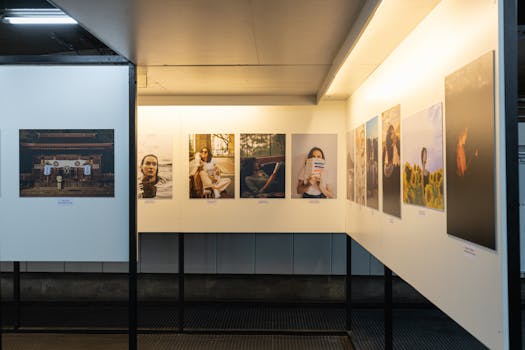
A thoughtful display of diverse photographs in a well-lit gallery exhibit.Photo: Matheus Bertelli / Pexels
Building an online portfolio isn't about quantity; it's about quality. The temptation might be to include every project you've ever touched, but a truly effective portfolio is a carefully curated collection of your absolute best, most relevant work. Think of it as a highlight reel, designed to impress and convince potential employers or clients that you possess the exact skills they need. Start by identifying your target audience and the type of opportunities you're seeking. Are you aiming for a senior design role in UI/UX? Then showcase projects that demonstrate your user research, wireframing, and prototyping skills. Are you a content writer looking for marketing gigs? Feature case studies of successful campaigns, blog posts that drove engagement, and diverse writing samples. Once you've defined your focus, select 5-10 of your strongest projects. Each project should tell a story. Don't just show the final product; walk your audience through your process. What was the challenge? What was your role? What steps did you take to solve it? What tools did you use? Most importantly, what were the results? Quantify your achievements whenever possible (e.g., 'increased conversion rates by 15%', 'reduced project time by 20%'). High-quality visuals are non-negotiable. If you're a designer, include mockups, wireframes, and final designs. Photographers need stunning, high-resolution images. Writers can embed PDFs, link to live articles, or use clean text blocks. Always optimize images for web to ensure fast loading times. Provide context for every piece. A brief, engaging description for each project helps the viewer understand its significance. Consider adding client testimonials or team acknowledgments where appropriate. Remember, your portfolio is a reflection of your professional identity. For more advice on creating a standout professional image, explore our article on building your professional brand.

Common Mistakes to Avoid When Building Your Online Portfolio

A vibrant multicolored background featuring the text 'PORTFOLIO' in pink font on colorful paper.Photo: Ann H / Pexels
While the process of building an online portfolio can seem straightforward, many common pitfalls can undermine its effectiveness. Being aware of these mistakes can help you create a more impactful and professional showcase. Here are some crucial errors to avoid: * **Including Too Much Work:** As mentioned, quality over quantity. Overloading your portfolio with mediocre or irrelevant projects dilutes the impact of your best work and can overwhelm visitors. Stick to 5-10 strong, relevant pieces. * **Lack of Context:** Don't just display images or links without explanation. Each project needs a story: the challenge, your role, your process, and the results. Without context, your work might not be fully understood or appreciated. * **Poor Visual Presentation:** Blurry images, inconsistent branding, bad typography, or a cluttered layout immediately detract from your professionalism. Ensure all visuals are high-resolution, your design is clean, and your branding is consistent across the site. * **Not Optimizing for Mobile:** A significant portion of internet traffic comes from mobile devices. If your portfolio isn't responsive and easy to navigate on smartphones and tablets, you're losing potential opportunities. * **Forgetting a Call to Action (CTA):** What do you want visitors to do after viewing your work? Contact you? Download your resume? Clearly state your desired next step with a prominent CTA on every page. * **Ignoring SEO:** While your portfolio is for showcasing work, it also needs to be discoverable. Use relevant keywords in your page titles, descriptions, and project details to help search engines find you. * **Outdated Content:** A stale portfolio suggests a lack of current activity or interest. Regularly update your work, add new projects, and refresh old ones to keep your portfolio vibrant and relevant. * **No Contact Information:** Make it easy for potential clients or employers to reach you. Include a dedicated contact page with multiple ways to get in touch (email, phone, social media links). By sidestepping these common errors, you can ensure your online portfolio stands out for all the right reasons, effectively communicating your skills and attracting the opportunities you desire.

Comparison

FeatureSquarespaceAdobe PortfolioWordPress (Self-Hosted)Wix
Ease of UseExcellentVery GoodModerate-HighExcellent
CustomizationGood (Template-based)Good (Limited templates)Excellent (Themes/Plugins)Very Good (Drag-and-drop)
Cost (Annual Avg.)$144-$312Included w/ CC ($0)$60-$200 (Hosting/Domain)$156-$300
SEO CapabilitiesGoodGoodExcellentGood
Target UserCreatives, Small BizDesigners, PhotographersDevelopers, BloggersSmall Biz, Freelancers
Learning CurveLowLowHighLow
Integrated Blog

What Our Readers Say

5 ★★★★★

"Following this guide helped me transform my scattered work into a professional online portfolio. I landed a dream design job within weeks of launching it. The advice on curation was invaluable!"

5 ★★★★★

"I used to struggle with showcasing my writing. This article provided clear, actionable steps on how to build an online portfolio that truly represents my skills. Clients now approach me directly!"

5 ★★★★★

"This resource was a game-changer. By focusing on the 'why' and 'how-to' of building an online portfolio, I created a site that resulted in a 30% increase in my freelance inquiries last quarter."

4 ★★★★☆

"The platform comparison was particularly helpful, though I wish there was more detail on custom coding options. Still, the overall guidance on how to build an online portfolio is top-tier and very practical."

5 ★★★★★

"As a recent graduate, I was overwhelmed. This guide broke down how to build an online portfolio into manageable steps, making the process much less daunting. Highly recommend for anyone starting out!"

Frequently Asked Questions

What is the most crucial element of a successful online portfolio?
The most crucial element is a highly curated selection of your best, most relevant work, presented with clear context and compelling visuals. It's not about showing everything you've ever done, but rather showcasing a few exceptional projects that demonstrate your skills and problem-solving abilities tailored to your target audience.
I'm a beginner with no professional projects. How can I build an online portfolio?
Don't let a lack of professional experience stop you! Create personal projects, volunteer for non-profits, or participate in online challenges. These 'passion projects' demonstrate initiative, skill, and creativity just as effectively as client work. Focus on showcasing your process and learning from these experiences.
How often should I update my online portfolio?
You should aim to update your online portfolio whenever you complete a significant new project or learn a new skill that you want to highlight. At a minimum, review and refresh your portfolio every 6-12 months to ensure all information is current, links are working, and your work reflects your evolving capabilities.
Is it expensive to build a professional online portfolio?
The cost can vary widely. Free options exist (like Behance, Dribbble, or even basic WordPress.com sites), but they might have limitations. Premium website builders like Squarespace or Wix typically range from $12-$30/month. Self-hosted WordPress offers more control but requires separate hosting and domain costs, potentially $5-$20/month plus theme/plugin investments. It's an investment in your career, so choose a plan that balances features with your budget.
Should I include my resume in my online portfolio?
Yes, absolutely! While your portfolio visually demonstrates your skills, a downloadable PDF version of your resume provides a concise overview of your professional history, education, and specific achievements. Make it easily accessible, perhaps on your 'About' or 'Contact' page, for those who prefer a traditional document.
Who should use how to build an online portfolio?
Anyone looking to visually demonstrate their skills and expertise should build an online portfolio. This includes creatives (designers, photographers, writers, artists), developers, marketers, consultants, project managers, and even professionals in more traditional fields who want to showcase specific projects or case studies.
Is my online portfolio safe from plagiarism or unauthorized use?
While no online content is 100% immune, you can take steps to protect your work. Use watermarks on images, especially for photography. Include clear copyright notices on your site. For design work, you might choose to only show snippets or mockups rather than full, editable files. Most importantly, register your work if it's commercially viable and you're concerned about intellectual property.
What are future trends for online portfolios?
Future trends include more interactive and immersive experiences, like 3D models or AR integrations for product designers. AI-powered personalization will likely suggest relevant projects to visitors. Video case studies and more dynamic, narrative-driven project presentations are also gaining traction, moving beyond static images to tell a richer story.

Ready to take control of your professional narrative? Use this comprehensive guide on how to build an online portfolio to craft a powerful, visually stunning showcase that attracts opportunities and propels your career forward. Don't wait – your next big break could be just a click away.

See also: How to Create Online Portfolio Free & Boost Your Career

See also: What is a Portfolio? Your Guide to Success

Topics: how to build an online portfoliocreate digital portfolioonline portfolio examplesportfolio website buildershowcase work online
Leo List